
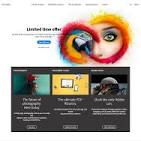
The Power of Adobe Web Design
Adobe has long been synonymous with cutting-edge design tools, and its impact on web design is undeniable. With a suite of software tailored specifically for web designers, Adobe empowers creatives to bring their visions to life in the digital realm.
One of the flagship tools in Adobe’s arsenal is Adobe Dreamweaver, a versatile platform that allows designers to create responsive websites with ease. Its intuitive interface and robust features make it a favourite among both seasoned professionals and newcomers to the field.
Adobe XD is another game-changer in the world of web design. This powerful tool streamlines the prototyping process, enabling designers to create interactive mockups and wireframes in a fraction of the time it would take using traditional methods.
For those looking to enhance their designs with stunning visuals, Adobe Photoshop and Illustrator are indispensable. These industry-standard programs offer a wealth of tools for creating graphics, icons, logos, and other visual elements that can elevate any website to new heights.
With Adobe’s Creative Cloud subscription service, designers have access to a comprehensive suite of tools that can be seamlessly integrated into their workflow. This flexibility allows for greater collaboration among team members and ensures that projects are completed efficiently and effectively.
Whether you’re a freelance designer working on your latest project or part of a creative team at a leading agency, Adobe’s web design tools provide the versatility and power you need to bring your ideas to fruition. With Adobe by your side, the possibilities are endless.
Exploring Adobe Web Design: Tools, Learning, and Suitability for Beginners
- What is Adobe web design?
- Which Adobe software is best for web design?
- How can I learn Adobe web design tools?
- Are Adobe web design tools suitable for beginners?
- Can Adobe web design tools help in creating responsive websites?
What is Adobe web design?
Adobe web design refers to the use of Adobe’s suite of design tools specifically tailored for creating visually appealing and functional websites. Adobe offers a range of software, such as Dreamweaver, XD, Photoshop, and Illustrator, that empower designers to craft responsive websites with stunning graphics and seamless user experiences. These tools enable designers to prototype, create visual elements, and code websites efficiently, making Adobe a go-to choice for professionals looking to bring their web design visions to life. Adobe’s Creative Cloud subscription service further enhances collaboration and workflow integration, making it a comprehensive solution for all aspects of web design.
Which Adobe software is best for web design?
When it comes to choosing the best Adobe software for web design, the answer largely depends on individual preferences and project requirements. Adobe Dreamweaver stands out as a popular choice for its comprehensive features tailored specifically for web development, allowing designers to create responsive websites efficiently. Adobe XD is favoured for its prototyping capabilities, enabling designers to craft interactive mockups with ease. For those focusing on visual elements, Adobe Photoshop and Illustrator offer robust tools for creating graphics, icons, logos, and other design elements that can enhance the overall look and feel of a website. Ultimately, the best Adobe software for web design is the one that aligns most closely with a designer’s workflow and project objectives.
How can I learn Adobe web design tools?
To master Adobe web design tools, there are various resources available to help you on your learning journey. One popular option is to explore Adobe’s official website, where you can find tutorials, guides, and documentation for each tool. Additionally, online learning platforms such as Adobe Creative Cloud Training offer courses specifically tailored to teach you how to use Adobe web design tools effectively. Engaging with online communities and forums dedicated to web design can also provide valuable insights and tips from experienced users. Hands-on practice is key, so don’t hesitate to experiment with different features and functionalities within the Adobe tools to enhance your skills further. Remember, continuous learning and exploration are essential in becoming proficient in Adobe web design tools.
Are Adobe web design tools suitable for beginners?
When it comes to the question of whether Adobe web design tools are suitable for beginners, the answer is a resounding yes. Adobe offers a range of user-friendly software like Dreamweaver, XD, Photoshop, and Illustrator that cater to designers of all skill levels. These tools come with intuitive interfaces, extensive tutorials, and robust support resources that make them accessible even to those just starting out in web design. With Adobe’s commitment to user experience and learning, beginners can quickly grasp the basics and start creating stunning websites and graphics in no time. So, if you’re new to web design and looking for tools that are both powerful and beginner-friendly, Adobe’s suite of products is an excellent choice to kickstart your creative journey.
Can Adobe web design tools help in creating responsive websites?
Adobe web design tools are instrumental in creating responsive websites. With software like Adobe Dreamweaver and Adobe XD, designers can easily develop websites that adapt seamlessly to various screen sizes and devices. These tools offer features that enable designers to preview and test their designs across different resolutions, ensuring a consistent user experience regardless of the device being used. By utilising Adobe’s suite of web design tools, designers can efficiently build responsive websites that look great and perform flawlessly on desktops, tablets, and mobile devices alike.
Leave a Reply