
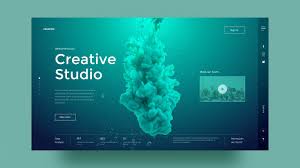
In the digital age, a website’s success hinges not only on its content but also on its user interface (UI) and user experience (UX) design. UI/UX design is the art of creating websites that are not only visually appealing but also intuitive and user-friendly.
UI design focuses on the look and feel of a website. It encompasses elements such as colours, typography, images, and layout. A well-crafted UI can enhance a website’s aesthetic appeal and create a strong visual identity that resonates with users.
On the other hand, UX design is all about the overall experience a user has while interacting with a website. It involves ensuring that the website is easy to navigate, functions smoothly, and provides value to the user. A good UX design can lead to increased user satisfaction and engagement.
When it comes to designing a successful website, striking a balance between UI and UX is crucial. A visually stunning website with poor usability will frustrate users, while a highly functional website with a lacklustre design may fail to capture users’ attention.
To create an effective UI/UX design for a website, designers must consider factors such as target audience preferences, brand identity, accessibility requirements, and industry standards. By conducting thorough research and testing different design elements, designers can create websites that not only look great but also deliver an exceptional user experience.
In conclusion, UI/UX design plays a pivotal role in shaping the success of a website. By combining visually appealing UI elements with intuitive UX features, designers can create websites that captivate users and drive engagement. Embracing UI/UX best practices can help businesses stand out in the competitive online landscape and build lasting connections with their audiences.
7 Essential Tips for Enhancing UI/UX Design on Your Website
- Keep the design clean and uncluttered to enhance user experience.
- Use consistent branding elements such as colours and fonts throughout the website.
- Ensure easy navigation by having a clear menu structure and intuitive links.
- Optimise loading times to prevent users from getting frustrated with slow performance.
- Make use of white space effectively to improve readability and visual appeal.
- Include interactive elements like buttons or animations to engage users on the website.
- Test your website on different devices and browsers to ensure compatibility and responsiveness.
Keep the design clean and uncluttered to enhance user experience.
Maintaining a clean and uncluttered design is paramount in enhancing the user experience of a website. By simplifying the layout, reducing visual noise, and prioritising essential elements, users can navigate the site with ease and focus on the content that matters most. A clutter-free design not only improves aesthetics but also promotes better usability, ensuring that users can quickly find what they’re looking for without feeling overwhelmed or distracted. In essence, a clean UI/UX design fosters a seamless and enjoyable browsing experience for visitors, ultimately leading to increased engagement and satisfaction.
Use consistent branding elements such as colours and fonts throughout the website.
Maintaining consistency in branding elements, such as colours and fonts, across a website is a fundamental principle in UI/UX design. By using a cohesive colour palette and consistent typography, designers can create a unified visual identity that reinforces brand recognition and fosters a sense of professionalism. Consistent branding elements not only enhance the aesthetic appeal of a website but also contribute to a seamless user experience, guiding visitors through the site with clarity and purpose. This attention to detail in maintaining brand consistency throughout the website can significantly impact user engagement and leave a lasting impression on visitors.
Ensure easy navigation by having a clear menu structure and intuitive links.
To enhance the user experience on your website, it is essential to ensure easy navigation by implementing a clear menu structure and intuitive links. A well-organised menu that is easy to locate and understand can help users quickly find the information they are looking for. Intuitive links that are descriptive and lead users to relevant pages can streamline the navigation process and keep users engaged. By prioritising clarity and simplicity in your menu structure and links, you can create a seamless browsing experience that encourages users to explore your website further.
Optimise loading times to prevent users from getting frustrated with slow performance.
Optimising loading times is a crucial aspect of UI/UX website design to prevent users from experiencing frustration due to slow performance. In today’s fast-paced digital environment, users expect websites to load quickly and seamlessly. Long loading times not only deter users from engaging with the content but also negatively impact the overall user experience. By prioritising optimisation techniques such as image compression, minifying code, and leveraging browser caching, designers can ensure that websites load swiftly, keeping users satisfied and engaged from the moment they land on the site.
Make use of white space effectively to improve readability and visual appeal.
Utilising white space effectively is a fundamental principle in UI/UX website design that can significantly enhance readability and visual appeal. By strategically incorporating adequate spacing between elements such as text, images, and buttons, designers can create a clean and uncluttered layout that guides users’ focus and improves overall comprehension. White space not only helps to prevent visual overload but also enhances the aesthetic appeal of a website, making it more inviting and engaging for visitors. When used thoughtfully, white space can elevate the user experience by providing breathing room for content and creating a sense of balance and harmony throughout the design.
Include interactive elements like buttons or animations to engage users on the website.
To enhance user engagement on a website, incorporating interactive elements such as buttons or animations is key to creating a dynamic and immersive user experience. By adding these features, users are encouraged to interact with the website, leading to increased engagement and prolonged time spent on the site. Interactive elements not only make the website more visually appealing but also provide users with a sense of control and interactivity, ultimately enhancing their overall satisfaction and connection with the brand.
Test your website on different devices and browsers to ensure compatibility and responsiveness.
Testing your website on various devices and browsers is a critical step in ensuring optimal user experience. By conducting compatibility and responsiveness tests, you can identify any potential issues that may arise when users access your site from different platforms. This proactive approach allows you to make necessary adjustments to guarantee that your website functions seamlessly across a wide range of devices and browsers, ultimately enhancing user satisfaction and engagement.
Leave a Reply