
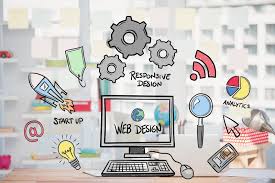
Web Designers and Developers: Creating Better Digital Experiences
Web designers and developers work together to turn ideas into useful, engaging websites. Although their roles are different, both contribute to how a website looks, feels and functions. The best results come when design and development are considered together from the start.
What does a web designer do?
A web designer shapes the visual appearance and user experience of a website. They consider how information is organised, how visitors move between pages and how the site communicates a brand’s personality.
Depending on the project, a designer may create page layouts, choose colours and typography, prepare graphics and develop interactive prototypes. They also think about the needs of different users, helping make the experience clear and easy to navigate on both desktop and mobile devices.
What does a web developer do?
A web developer builds and maintains the website. Using programming languages and other technical tools, developers turn designs into working pages and features. Their work may include setting up content management systems, connecting websites to databases, improving loading speeds and making sure interactive elements work as intended.
Some developers focus on the front end: the parts of a website visitors see and use. Others specialise in the back end, which supports features such as data processing, user accounts and site administration. Full-stack developers work across both areas.
Why collaboration matters
Designers and developers bring different expertise to a project, but their responsibilities often overlap. A design needs to be practical to build, while the technical implementation should preserve the intention behind the design. Early communication can help teams spot challenges, agree priorities and avoid unnecessary rework.
Collaboration also helps ensure that a website is more than visually appealing. A successful site should be intuitive, reliable and suited to its audience and business goals.
What makes a good website?
Good websites balance appearance with usability. Clear navigation, readable content and consistent visual choices help visitors find what they need. Responsive layouts allow pages to adapt to different screen sizes, while careful optimisation can improve performance and reduce loading times.
Accessibility is important, too. Designers and developers can make websites easier to use by considering colour contrast, keyboard navigation, descriptive links, meaningful headings and compatibility with assistive technologies. These choices can improve the experience for a wider range of people.
Choosing the right team
When choosing web design and development support, look for a team that asks thoughtful questions about your audience, objectives and practical requirements. Reviewing previous work can give you an idea of its approach, but it is also useful to discuss how the team handles communication, accessibility, ongoing maintenance and future growth.
Whether you are launching a new business or improving an existing website, a close partnership between designers and developers can make the process clearer and the result more effective. By combining creative thinking with technical skill, they can build digital experiences that are attractive, accessible and useful.
Essential Tips for Web Designers and Developers: Creating Accessible and Efficient Websites
- Design for accessibility from the start.
- Keep layouts clear and easy to scan.
- Test pages on mobile devices.
- Use semantic HTML for structure.
- Optimise images to speed up loading.
- Check designs with real users.
- Keep code tidy and well documented.
Design for accessibility from the start.
Designing for accessibility from the start helps ensure your website works for as many people as possible, including people with visual, hearing, motor or cognitive impairments. Web designers and developers can build accessibility into every stage of a project by using clear layouts, readable text, strong colour contrast, descriptive links, keyboard-friendly navigation and meaningful headings. Making these choices early is often more effective than trying to retrofit them later—and creates a clearer, more usable experience for everyone.
Keep layouts clear and easy to scan.
Keep layouts clear and easy to scan by giving each page a logical structure and making the most important information stand out. Use concise headings, short paragraphs, helpful spacing and consistent visual styles to guide visitors through the content. A well-organised layout makes a website easier to navigate, especially on mobile devices, and helps people find what they need without unnecessary effort.
Test pages on mobile devices.
Test your pages on mobile devices to make sure they work well on smaller screens and touch interfaces. Check that text is easy to read, buttons are simple to tap, images display correctly and navigation is straightforward. Testing on different devices and browsers can reveal issues that are easy to miss on a desktop, helping you create a smoother experience for every visitor.
Use semantic HTML for structure.
Use semantic HTML to give your website a clear, meaningful structure. Elements such as <header>, <nav>, <main> and <footer> describe the purpose of different parts of a page, helping browsers, search engines and assistive technologies understand its content. For web designers and developers, using the right elements also makes code easier to read, maintain and adapt—supporting a more accessible experience for everyone.
Optimise images to speed up loading.
Optimising images is one of the simplest ways web designers and developers can improve page loading times. Choose the right file format, resize images to suit their display dimensions and compress them to reduce file sizes without noticeably affecting quality. Techniques such as responsive images and lazy loading can also help deliver the right assets efficiently, giving visitors a faster, smoother experience—particularly on mobile devices and slower connections.
Check designs with real users.
Check designs with real users before development is complete. Observing people as they try common tasks can reveal confusing navigation, unclear wording or features that are difficult to use—issues the design team may have overlooked. Keep the sessions simple, invite a mix of users and use their feedback to make practical improvements. Testing early and revisiting the design as it evolves can help create a website that feels intuitive and works well for its intended audience.
Keep code tidy and well documented.
Keeping code tidy and well documented makes websites easier to understand, update and maintain. Clear naming, consistent formatting and useful comments help designers and developers follow how different parts of a project fit together, making collaboration smoother and reducing the risk of errors. It can also save time when adding features or fixing issues later, especially when someone new joins the team.
Leave a Reply